

适用系统:
银河麒麟桌面操作系统 V10 / V10 SP1 / SP2 / SP3
(基于 Linux,兼容 Debian / Ubuntu 操作习惯)
一、最推荐:命令行全文检索
方法 1:grep
在指定目录下递归搜索关键词
grep -R "关键词" /path/to/dir📌 示例:
grep -R "password" /home
grep -R "IPSec" /etc
常用参数(必须掌握)
grep -R -n -i "关键词" /路径推荐标准写法:
grep -Rni --color=auto "secret" /home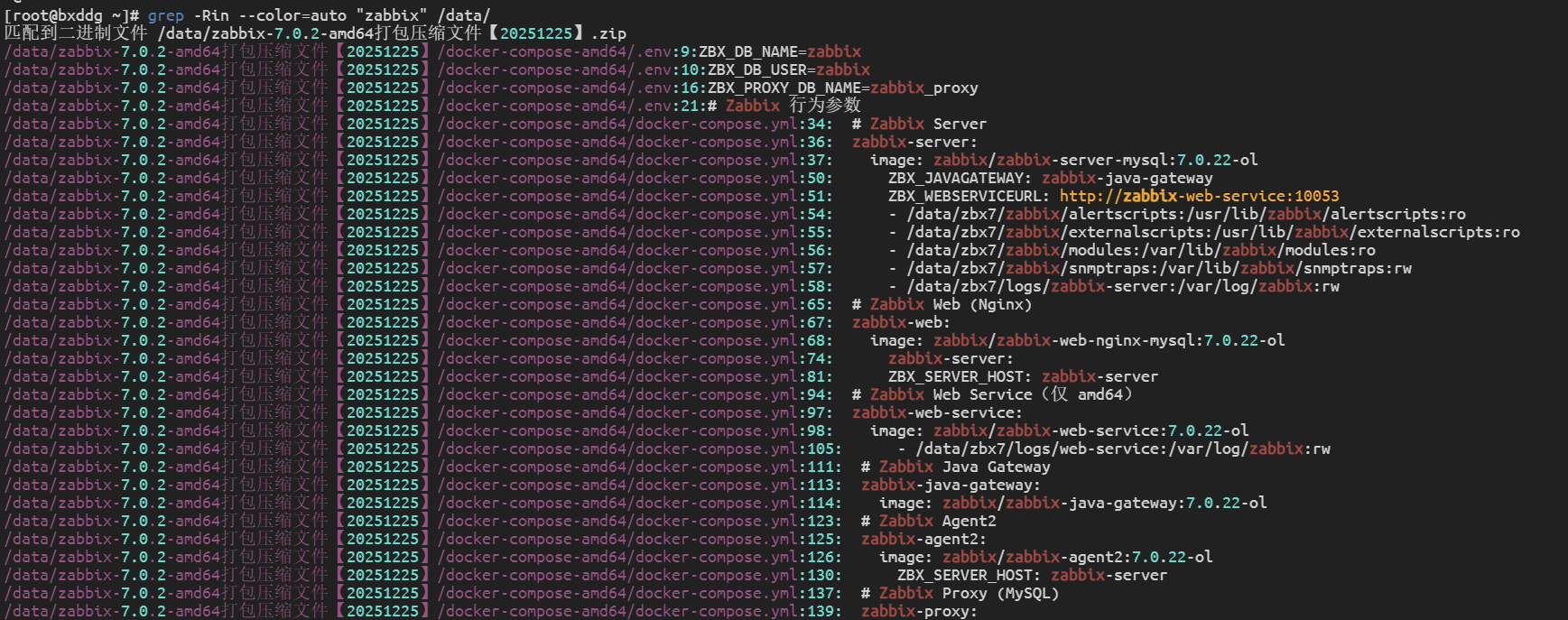
二、查“整个系统”
需要 root 权限
sudo grep -Rni "关键词" /📌 示例(排查敏感信息):
sudo grep -Rni "password" /
sudo grep -Rni "token" /
sudo grep -Rni "secret" /
注意:
会跳过无权限目录(正常)
/proc、/sys会报错,可忽略或排除
三、排除无关目录
不排除会又慢又乱
sudo grep -Rni "关键词" / --exclude-dir={proc,sys,dev,run,tmp}推荐:
sudo grep -Rni --color=auto "password" / --exclude-dir={proc,sys,dev,run,tmp}四、只查指定类型文件
只查配置 / 日志文件
grep -Rni "关键词" /etc --include="*.conf"或:
grep -Rni "关键词" /var/log --include="*.log"
常见组合:
grep -Rni "mysql" /etc --include="*.conf"
grep -Rni "zabbix" / --include="*.conf" --include="*.yaml"
五、只看“有哪些文件包含关键词”
grep -Ril "关键词" /路径示例:
grep -Ril "password" /home非常适合 快速定位风险文件

六、结合 find
先找文件,再查内容
find /etc -type f -name "*.conf" -exec grep -ni "关键词" {} \;示例:
find /home -type f -exec grep -ni "secret" {} \;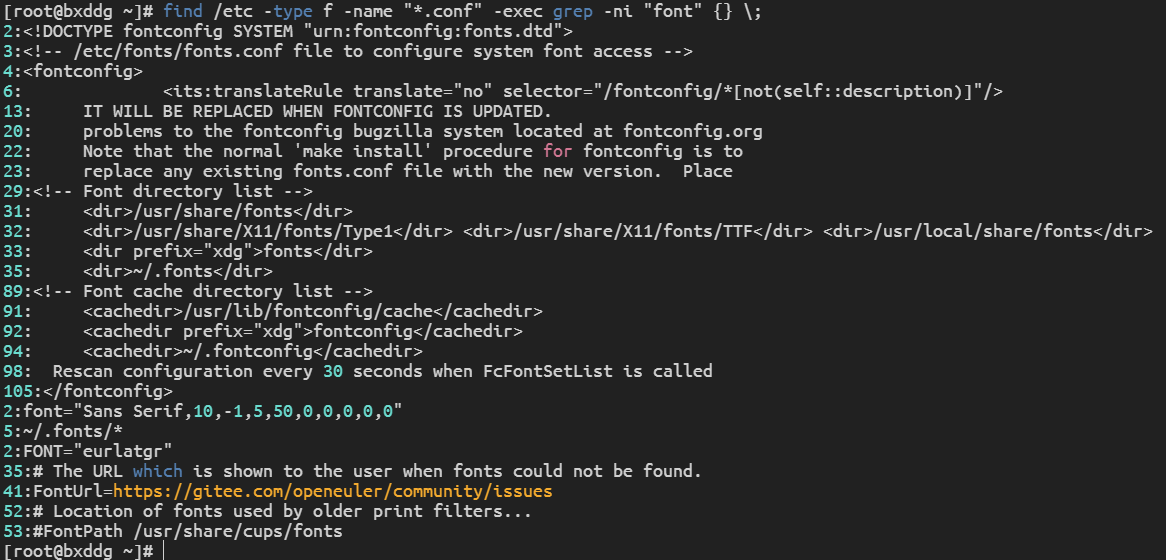
七、中文关键词注意事项
如果中文搜不到,通常是编码问题
解决方案:
LANG=C grep -Rni "中文关键词" /路径或:
LC_ALL=C grep -Rni "中文关键词" /路径八、图形界面方式
文件管理器(麒麟桌面)
打开目录
右上角搜索框
勾选 “搜索文件内容”
输入关键词
局限:
搜索慢
对 log / conf 支持差
不适合全盘审计
只适合普通办公,不适合你现在干的事

九、审计 / 安全检查标准做法
敏感信息专项扫描
sudo grep -Rni --color=auto "password\|passwd\|secret\|token\|key" /etc /home --exclude-dir={proc,sys,dev,run,tmp}非常适合:
等保 / 分保
内控检查
安全整改
条保专项
十、导出结果留痕
sudo grep -Rni "关键词" /etc > keyword_check_$(date +%F).txt或:
sudo grep -Rni "password" /etc --exclude-dir={proc,sys,dev,run,tmp} | tee password_audit.txt十一、一句话总结
银河麒麟桌面操作系统基于 Linux,所有文件内容均可通过 grep 进行全文检索,
支持递归、行号、类型过滤和结果留痕,
是内控审计和安全排查中最可靠、可复现的技术手段。